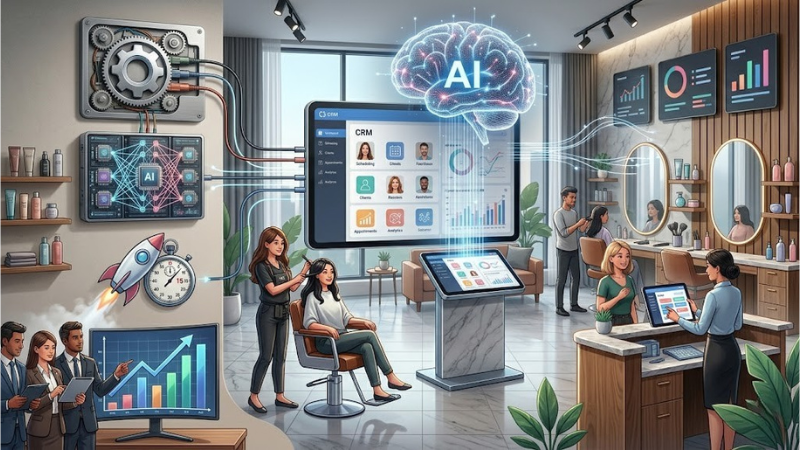
How to set up an AI CRM for your salon in 15 minutes: step-by-step instructions
Over 1,000 salons have already connected to AlviBeauty Business in 15 minutes. No programming, no website, no technical specifications. How to connect an AI CRM for a salon in 15 minutes? Three simple steps: registration, connecting channels, and launching the AI assistant. After that, the artificial intelligence automatically responds to clients via Direct, schedules appointments, and reminds them about their visits. Below is a step-by-step guide to connecting the CRM, featuring three real-life cases from Ukrainian salons.
Setting up an AI CRM for your salon in 15 minutes means completing three steps to set up a CRM in AlviBeauty Business: register and set up services (5 minutes), connect to Instagram, WhatsApp, and Telegram via QR code (5 minutes), launch the assistant, and accept your first client (5 minutes). No programming or website required. The free CRM for your salon is available immediately.
What is AI CRM and why does a salon need it?
An AI CRM for a beauty salon is a system where artificial intelligence responds to clients, manages the calendar, reminds them of appointments, and analyzes workloads. It's not just a CRM with AI as a feature—it's a fully-fledged AI assistant for the salon. We wrote about how the AI administrator works in more detail in a separate article. And the 5 tasks of an AI administrator explain what it accomplishes in practice.
How does this system differ from a regular recording program?
A typical CRM is a spreadsheet on steroids. Here, an AI salon receptionist does all the thinking for you. It understands the message "I want a manicure with Anna on Saturday," checks Anna's calendar, suggests a window, and creates an appointment. All in 5 seconds. Find out more: can AI replace a human administrator?
What features does AlviBeauty Business offer for ₴250/month?
A single system includes chat booking, automatic reminders, 24/7 responses, AI analytics, and marketing automation. Everything that used to be handled by an administrator or three different services. AI CRM for the service industry completely eliminates the need for an administrator. Read more about AI automation for the service industry in our previous article.
What you need to connect a CRM system (and what you don't)
Setting up a salon CRM doesn't require anything complicated. Just a smartphone and 15 minutes.
What is NOT needed: a website, a programmer, technical specifications
Many people think that setting up a CRM system is expensive and time-consuming. This is a myth. CRM without a programmer. CRM without a website. Without technical specifications. You don't even need a computer—everything works from your phone. This is AI CRM for the next generation of beauty businesses.
What data should be prepared in advance?
To make the connection faster, prepare three points:
- list of services and duration of each;
- work schedule of the masters;
- prices (range possible).
That's enough to get you started. You can configure the rest as you go.
3 steps to connect to AlviBeauty CRM in 15 minutes
Here's a step-by-step guide to connecting a beauty salon's CRM. This AI integration guide will help you implement the system in 15 minutes. Time yourself—the step-by-step CRM integration will take exactly that long.
Step 1: Register with AlviBeauty and complete basic setup (5 minutes)
You go to the website, enter your phone number, and receive a code. The system then asks three questions: what services you provide, how much they cost, and what your hours are. Answer them, and the salon CRM is set up automatically in 5 minutes. For most owners, registering with AlviBeauty Business took 4-5 minutes.
Step 2: Connecting Instagram, WhatsApp, and Telegram channels (5 minutes)
Connecting Instagram to your CRM takes just 2 minutes. Scan the QR code with your phone and confirm access to Instagram Direct. You can also connect WhatsApp to your CRM via WhatsApp Business and the Telegram bot. Now, clients can message you through any of the three channels, and AI will respond.
Step 3: Launching the AI Assistant and the First Client (5 minutes)
Activate the bot. Message it yourself: "I want to book a manicure tomorrow." Watch as the assistant responds, suggests a window, and creates an appointment. If everything looks good, launch it. The first client will receive a response in 10 seconds.
That's it. Just 15 minutes—and the AI CRM connection is complete.
How to implement CRM in a salon across 5 niches
While the algorithm is the same, the emphasis is different. How to implement a CRM system in a specific salon format is below.
AI CRM for a beauty salon
A beauty salon has 3-5 specialists—the system distributes appointments among them, taking into account their specialization. Learn more in the guide: AI Assistant for Beauty Salons.
AI CRM for barbershops and hair salons
A barbershop thrives on regular customers. The assistant remembers each client's style. The hair salon operates on the same logic as a barbershop—using AI CRM for hair salons. Read about chatbots for barbershops and AI for hair salons.
AI CRM for a nail studio
A nail studio has a high frequency of visits—every 2-3 weeks. Automatic reminders are crucial. For more details, see the guide: AI Bot for Nail Studios.
AI CRM for solo professionals and cosmetologists
One handyman, one phone, no assistant. The system closes nights and weekends. Guide: An AI assistant for the self-employed handyman.
3 Ukrainian Salon Cases: Real Figures in 30 Days
Case 1: Marina, barbershop, Kyiv, Podil — +30% sales
Before: 80 haircuts per week, 6-8 missed appointments. 30 days after joining AlviBeauty: 105 haircuts, 3 missed appointments. Message-to-post conversion rate: 75%.
Case 2: Alena, beauty salon, Troyeshchyna — -40% of absences
Before: 120 visits per week, 12 absences. Now: 115 visits, 7 absences. Administrator time saved: 3 hours per day. Learn more about solving the no-show problem.
Case 3: Alina, nail studio, Obolon, Kyiv — +20% clients
Before: 18 clients per week. Now: 22. The assistant answers at night—40% of appointments arrive after 10:00 PM. All Ukrainian salons report growth in the first 30 days.
How much does AlviBeauty Business cost?
Free CRM Connection: What's Included
Free CRM integration. This assistant's functionality is for you to try out: booking, replies, calendar, and reminders. This is a free CRM for a salon.
Paid plan 250₴/month – what's included
Unlimited appointments, advanced analytics, and marketing automation. Choosing a CRM for a salon is a separate topic.
Want to give it a try? Switch to AlviBeauty Business and set up your CRM in 15 minutes.
FAQ: What are you asked before connecting?
What is AI CRM?
AI CRM is a system powered by artificial intelligence that automatically responds to clients, records calendar entries, and analyzes data. Unlike traditional CRM, the assistant understands context and makes decisions.
What CRM systems do beauty salons use?
Top 5 in Ukraine 2026: AlviBeauty/ AlviBeauty is the only one with AI and a free plan with no time limit.
How much does it cost to connect a CRM system for a salon?
AlviBeauty is free to use, requiring no programming. Usage: free plan costs 0 UAH, paid plan costs 250 UAH/month. The CRM typically pays for itself within 1 month.
What is the simplest CRM system?
AlviBeauty Business – setup in 15 minutes in 3 steps. No website, no technical specifications, no programmer.
How does a CRM system work?
A client writes on Instagram → the assistant understands the request → checks the calendar → suggests a window → creates a post → sends a reminder. Everything is automatic.
Read also
- AI Administrator: What is it?
- 5 Tasks of an AI Administrator
- How AI is automating the service business
- AI assistant for the self-employed craftsman
- Connect AlviBeauty Business .